 Dynasty Nerds
  Draft Nerds
  NerdHerd

Introducing the Lineup Optimization Tool! Fantasy football managers can use this new feature of the Dynasty Nerds app to set all their lineups with the touch of a single button. It also allows for customized lineup decisions and is meant to make your fantasy football experience on Sleeper and ESPN easier than ever.
What Is the Lineup Optimization Tool
A new feature of the Dynasty Nerds app is the Lineup Optimization Tool, which gives you a full-fledged command center for all of your ESPN and Sleeper fantasy football rosters. This tool lets you manage all roster decisions in the Dynasty Nerds app, as you can control all starts/sits, adds/drops, and all other decisions you typically would have to do manually.
This tool is designed to give you a control hub for all roster decisions on both your computer and phone, making your roster decisions easy to manage, all under one roof. The Dynasty Nerds exclusive game projections suggest what moves you should make, including adjusting your starting lineups and scouring your waiver wires for ways to improve your rosters. These projections adjust to your league style, giving you tailored fits based on league and roster formats.
Why Use the Lineup Optimization Tool
If you are anything like me, you have to manage roster decisions for multiple rosters every week. While having this many rosters to handle is a blessing when running start-up drafts, it can become tiring when needing to manage your waiver wires and starting lineups.
This Lineup Optimization Tool is built to help make your roster-building needs as easy as possible, regardless of how many rosters you have to manage. The Lineup Optimization Tool will provide suggestions based on:
- Player scoring projections
- Game times (will suggest moving players in later-starting games into FLEX positions)
Lineup Optimizer Process
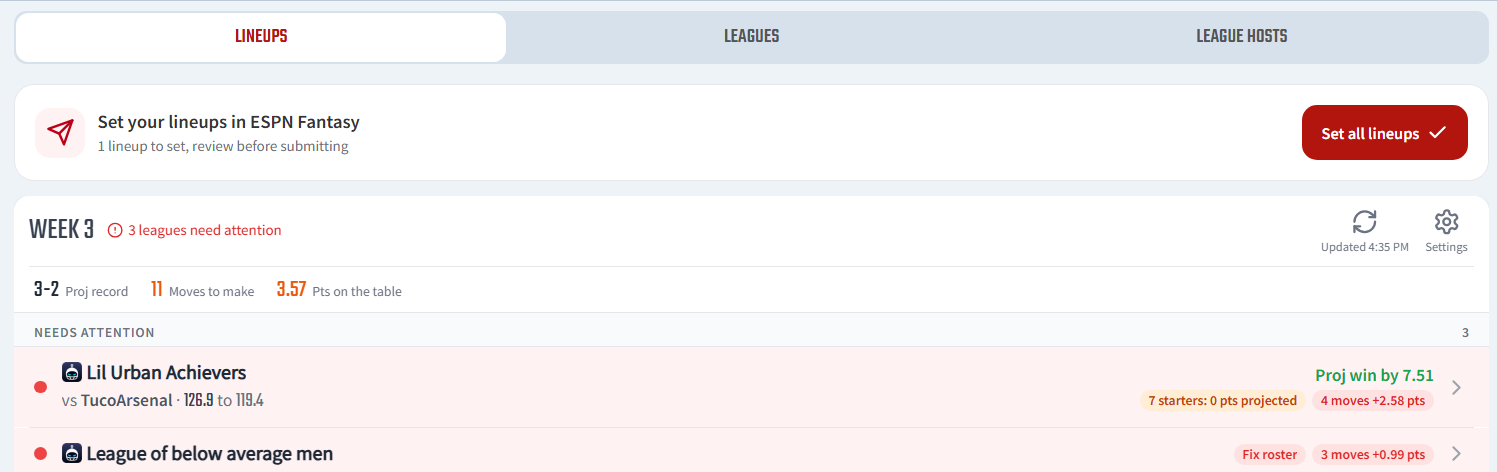
Find and click the ‘Leagues’ tab at the top of your Dynasty GM home page, where you will find the League Optimizer results:
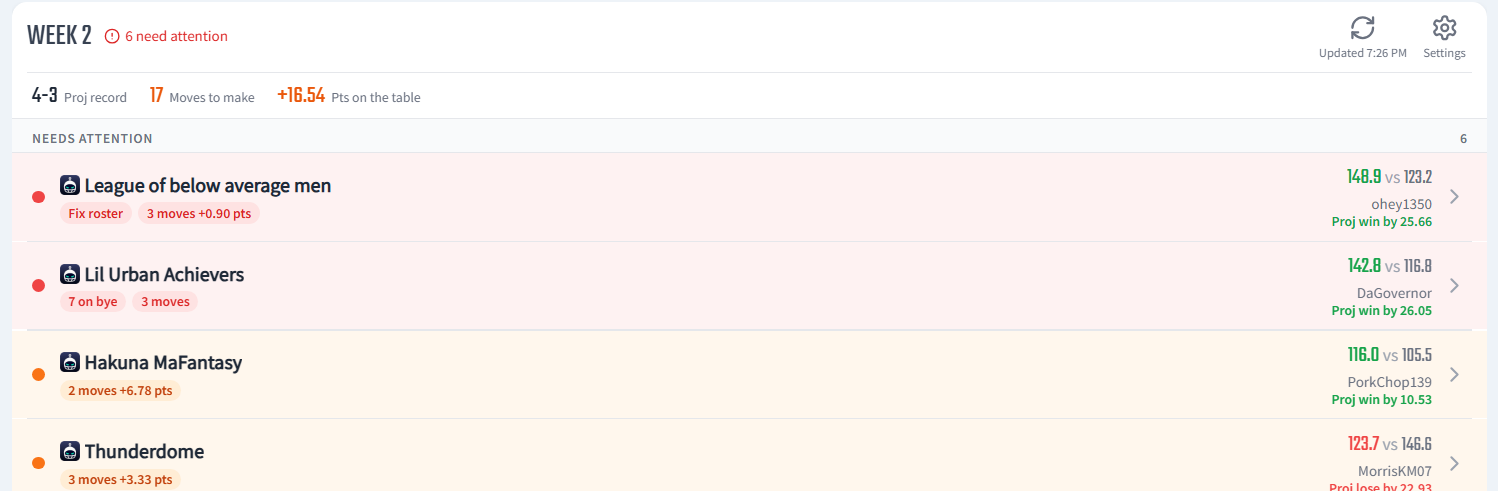
See which rosters have suggested changes from the League Optimizer Tool; click into each individual roster to see what changes are suggested.
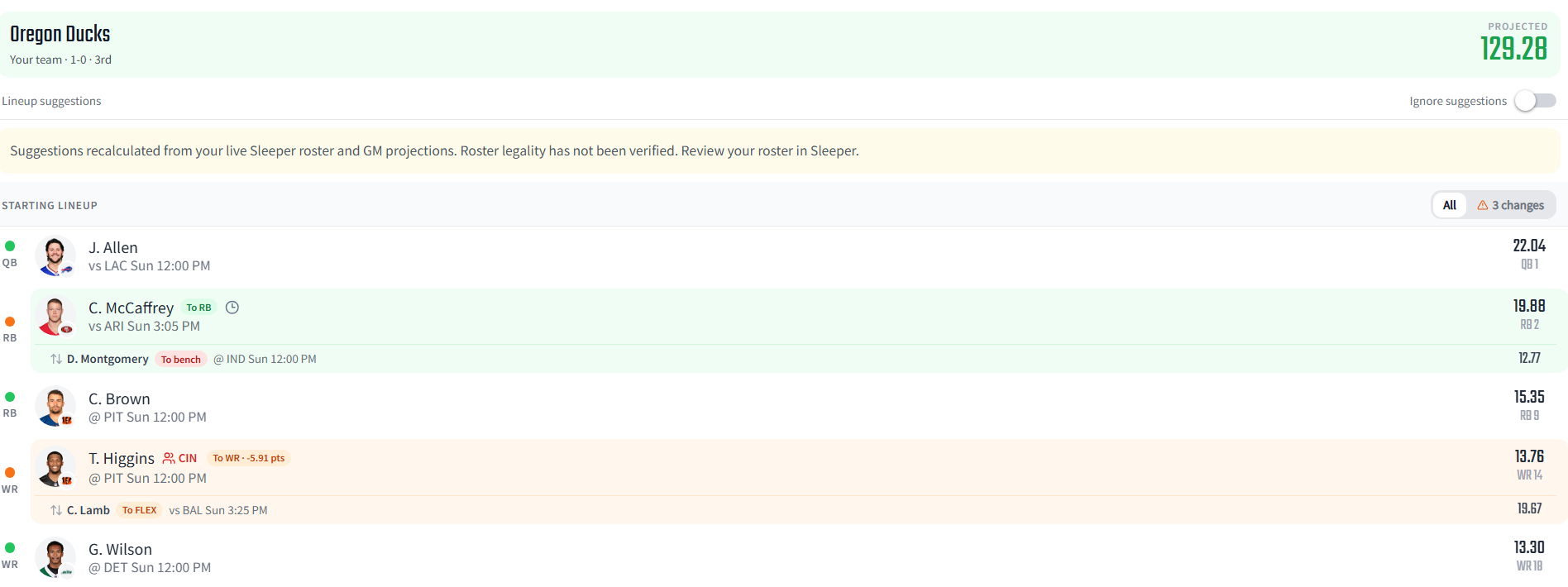
After clicking on a team, your suggested changes will show up, based on how your roster is constructed. The ‘Projected’ point total in the top right will show you what your projected score will be if you implement the suggested changes.
This screen will show you what changes are suggested and their reasoning (higher/lower projections, game times, etc.) for why you should make the change.
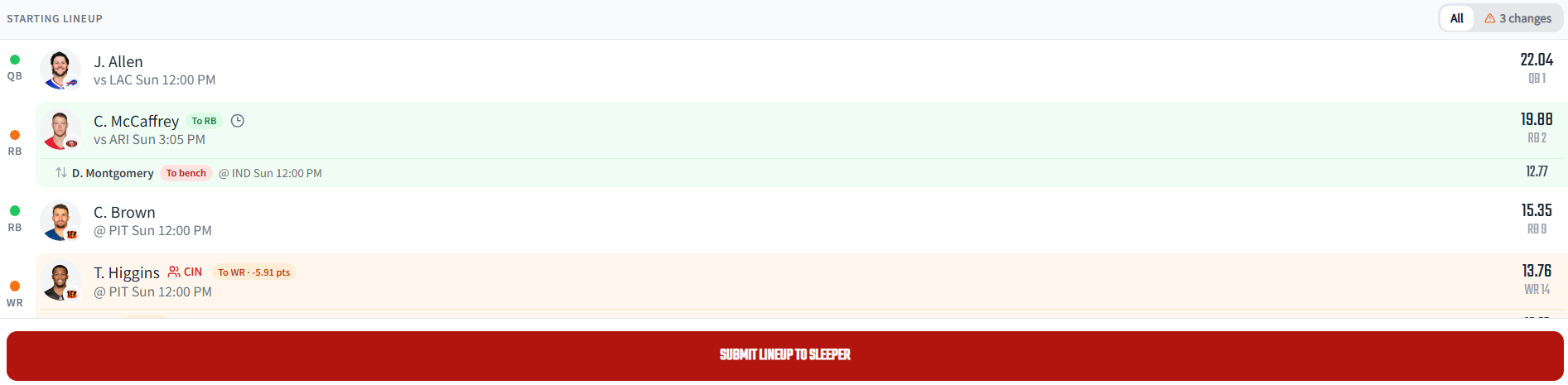
Once you review the suggested changes, go ahead and click the red ‘Submit Lineup’ button at the bottom of the page.
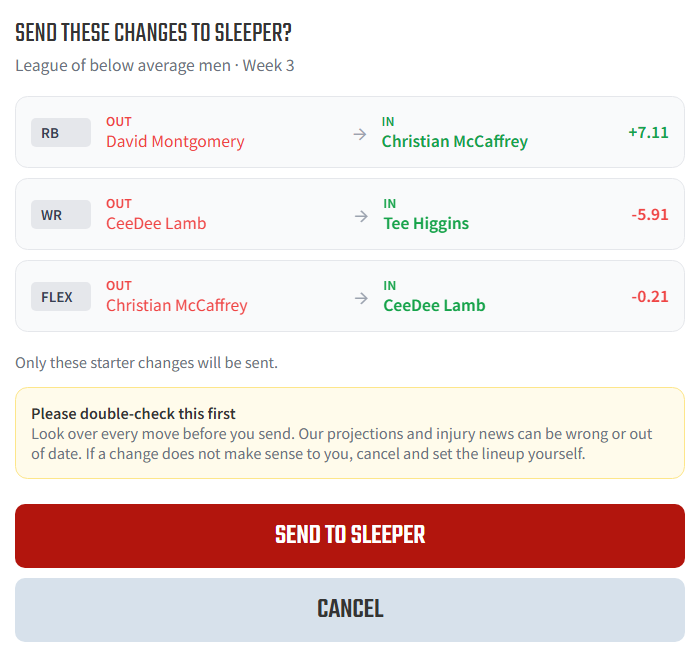
A sub-menu will pop up, showing you all of the changes you agree for the Lineup Optimization Tool to make; clicking ‘Send’ will send these changes to Sleeper/ESPN, updating your rosters.
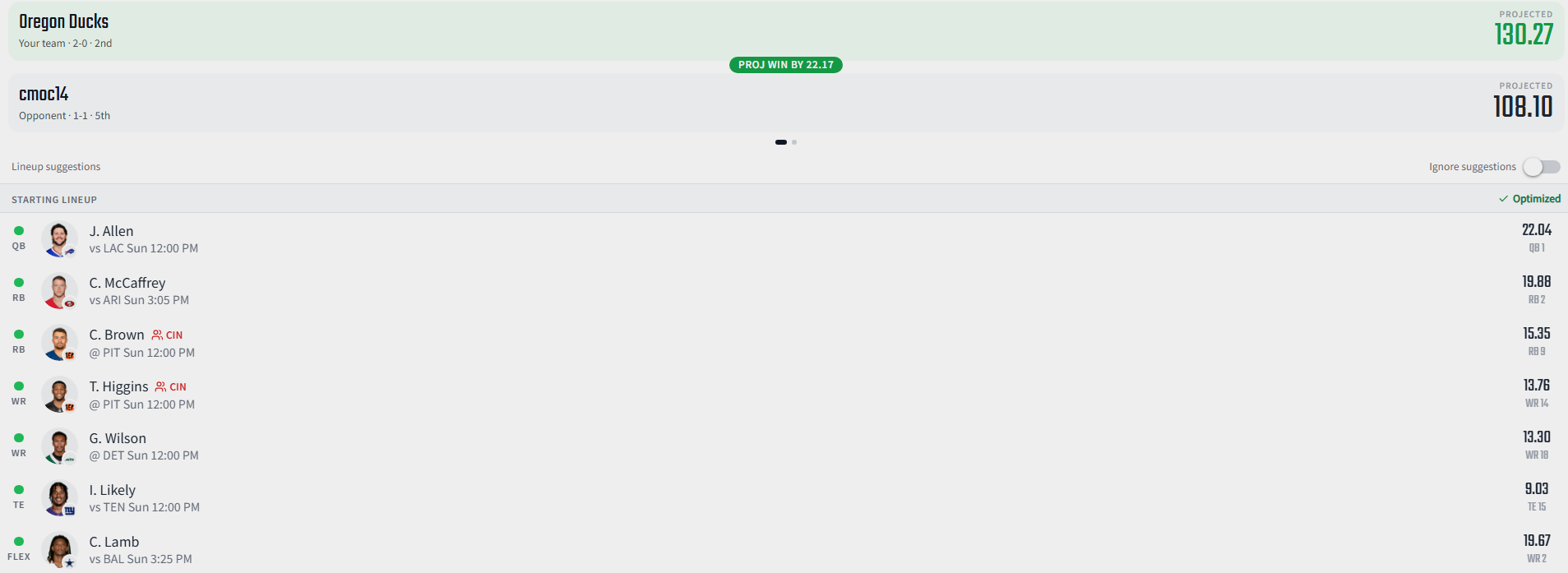
Once these changes go through, you will see the new updated projections for your upcoming matchup. Your players will have green dots next to them, signifying that they are the most-optimized option for that respective position in your starting lineup.
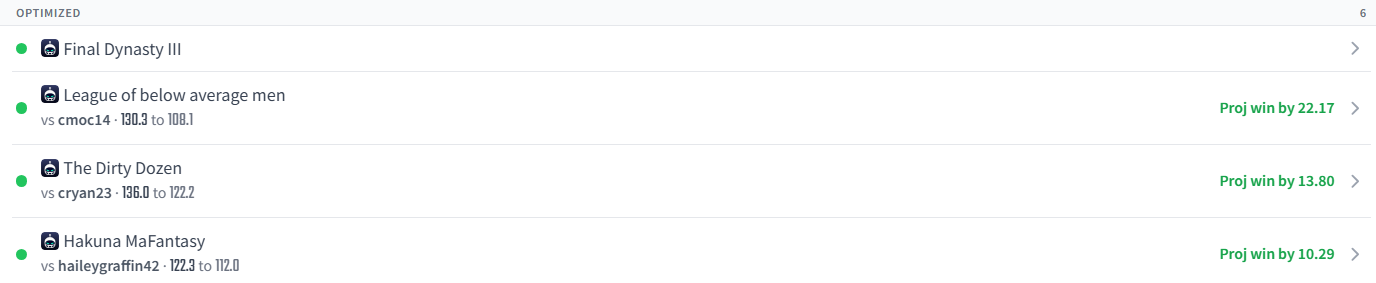
To confirm your roster optimization has gone through, find the ‘Optimized’ section on your League Optimization page. If a league is noted in this section, then it has been updated and optimized!
Additionally, you can always press the Set All Lineups button and do all your lineups with one tap.
Try the Lineup Optimizer yourself using the Dynasty Nerds App!
🔥Take Control of Your Dynasty Today
Want to see where your lineup stacks up? Start building like the pros with our most powerful tools and resources:
- 📱 Dynasty Nerds App → Analyze trades, compare rosters—see where you rank.
- 🏈 Dynasty Rankings → Updated player values for every position.
- 🎓 Rookie Mock Draft Hub → Find the next wave of talent for your drafts.
- 🚀 Join the NerdHerd → Unlock premium tools and exclusive extra podcast.
👉 It’s time to take control of your dynasty and see where your lineup truly ranks.